Getting started with PropOS: six short videos
Six short videos, about four minutes together, show a property management firm how to start with PropOS. You set up your firm under your own name and logo, add your first client and their property, and follow one repair from the first message to the payment. Then you bring in your team and your outside partners. You can try each step yourself at demo.propos.tech.
Published 24 November 2026 · Updated 24 November 2026 · PropOS team
No pitch deck. No commitment. Just an honest conversation.
What do the six videos show?
Each video covers one step. They name every button as you see it on screen, so you can pause and do the same in the demo.
Sign up at demo.propos.tech and you get a full, empty company of your own, to try every step from the videos.
Use invented names only, no real client data.
Set up your firm
Sign up at demo.propos.tech with your name, your email and a password. Then, under Branding in Settings, upload your logo and type your company name, so the file your clients open carries your name.
Your first client
Add a client with a name and an email, then add their property: street, number, city. Your client gets an invitation by email, accepts it, sets a password and sees their property under your brand.
A repair, from message to payment
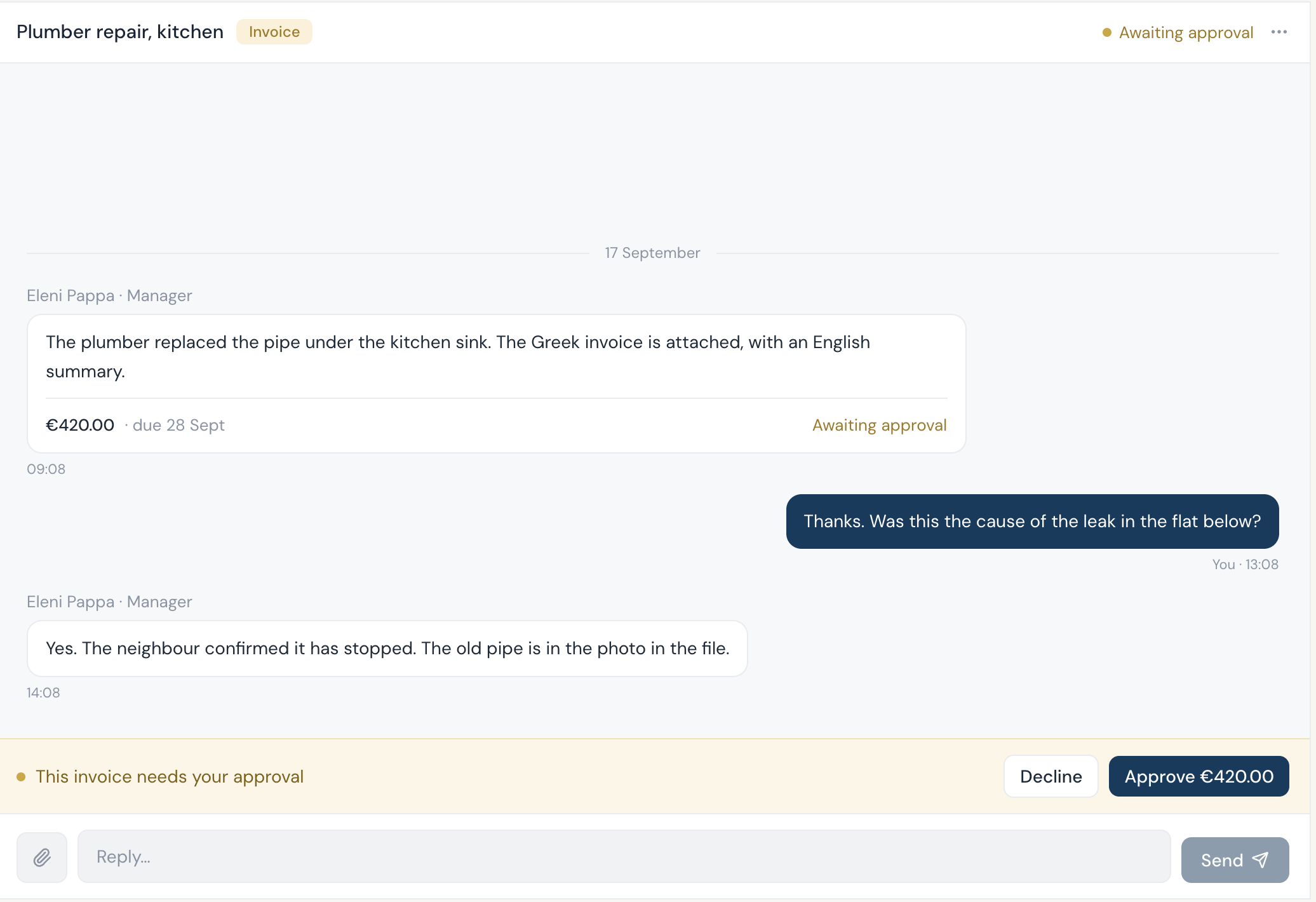
A tenant calls you about a leak under the kitchen sink. You message your client, send the plumber's quote, and your client approves €420 with one tap. The quote is filed in the Vault, becomes the invoice when the work is done, and the payment shows in Financials once your client confirms the transfer.
Your team
Invite staff from Settings and decide what they send straight to clients and what needs your approval first: quotes, invoices, visit reports. A quote a staff member prepares waits for you, and your client sees it only after you approve and send it.
Partners and your client's people
Bring your accountant, your lawyer or your contractor into a client's file and set three things: which conversations they see, whether they upload to the Vault, and whether they see the financials. Your client can bring their own people too: a Viewer reads, a Member writes and uploads, and only an Admin approves money.
Languages and notifications
When automatic translation is on for your firm, each person chooses their own language in Settings: you write in Greek, and your client reads it in theirs, with amounts and dates exactly as you wrote them and the original one tap away. When PropOS asks, allow notifications on your computer and your phone, so you never miss an approval.
Everything you want to know.
Anything else, ask on the call.
Are the videos available in Greek?
The narration is in English. The videos name each PropOS button as it appears on screen, so you can follow them step by step at demo.propos.tech.
Does the demo come with sample data?
No. When you sign up at demo.propos.tech, PropOS creates an empty company of your own. You add the first client and the first property yourself, as the second video shows.
Do I need to watch the videos in order?
No. Each video covers one part of PropOS and stands on its own. If you watch only one, watch the third: it follows one repair from the first message to the payment.
Prefer to do it together? We set it up with you.
No pitch deck. No commitment. Just an honest conversation.